
One vector template in Adobe, 50 variations with AI
A boutique ad agency builds every promo sign, post and story by hand. Here is how one designer's vector template and a product sheet became finished campaign files with AI. The run produced 50 print-ready variations in about 7 minutes.
- 50
- print-ready variations
- From 1
- vector template
- Minutes
- not days
| Product | Price | Image |
|---|---|---|
| Product 1 | 19 | img_1 |
| Product 2 | 32 | img_2 |
| Product 3 | 8 | img_3 |
| Product 4 | 45 | img_4 |
The short version
A designer at an ad agency builds every promo file by hand from one vector template. We helped the agency see what that work could look like with AI. I set up a Claude Skill that holds the template rules. Give it a product sheet and a photo folder, and it produced all 50 variations in about 7 minutes.
The agency and the problem
The agency is a boutique ad agency that works with retail chains. Each promo campaign needs, for every product, three things: an A4 print sign, a social post and a story.
The designer builds every one of those files by hand from a vector template. Same layout, different product, price and photo. A bigger campaign means many more files.
They named the bottleneck themselves: "simple, repetitive work". They wanted the same graphic in dozens of small variations. They also wanted AI that works with their Adobe files, not around them.
How we got there
We kept the first step small. I asked the agency for:
- The template, blank and filled in, so I could see what stays fixed and what changes.
- A few sample variations, so I could see how far the template bends.
- A spreadsheet of what changes per product: name, price, and anything else that moves.
- The image folders, one per product.
- The export formats and the fonts.
That is enough to write down the template rules. Everything the designer knows by eye (where the price bubble sits, how much room a photo gets) has to become an explicit rule in the Skill. Then we ran it on their real material.
How it works
- One folder. The sheet, the photo folders, the template and the fonts go in one place.
- One instruction. I ask Claude to build the campaign. The Skill tells it how the template works.
- Claude works alone. It reads each row, removes the white background from the product photo, and places the product in each format. It also fixes the price bubble when a long price or name breaks the layout. It checks its own intermediate files as it goes.
- An organized output folder. Every file is named by product and format, so nothing needs sorting afterwards.
- The designer reviews and approves. A person still looks at the result. The goal is to remove the assembly, not the judgment.
An editable Illustrator output is possible, so the designer could open and adjust any file. I did not build that in this run.
What the output looks like
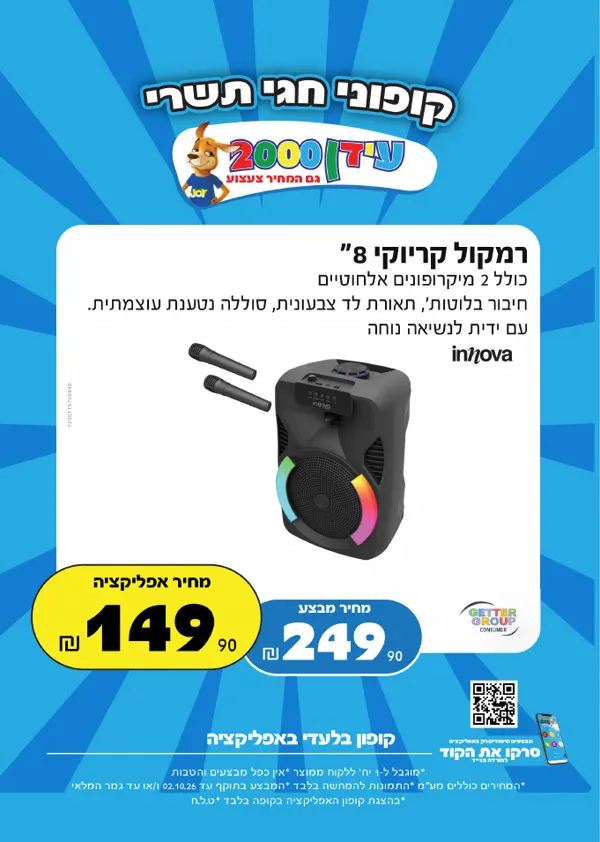
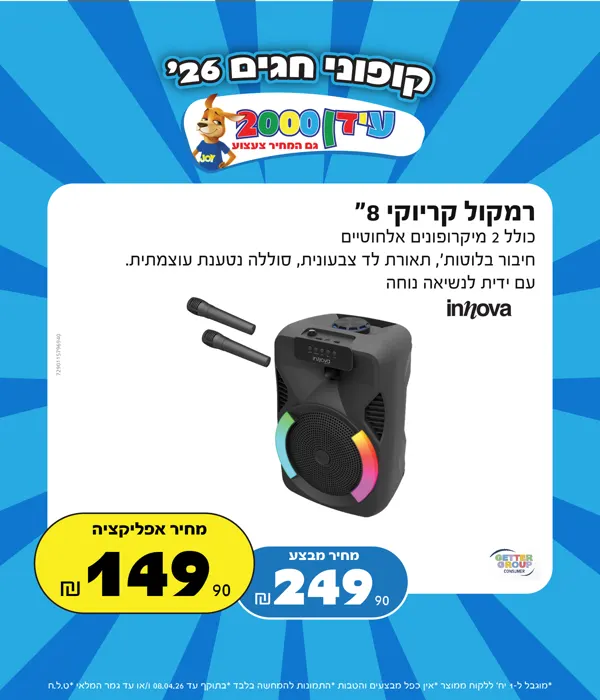
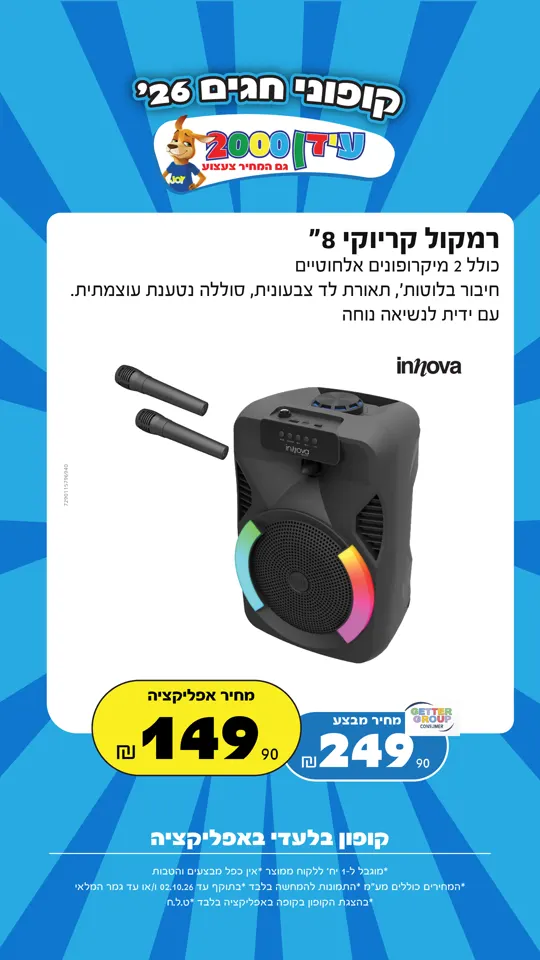
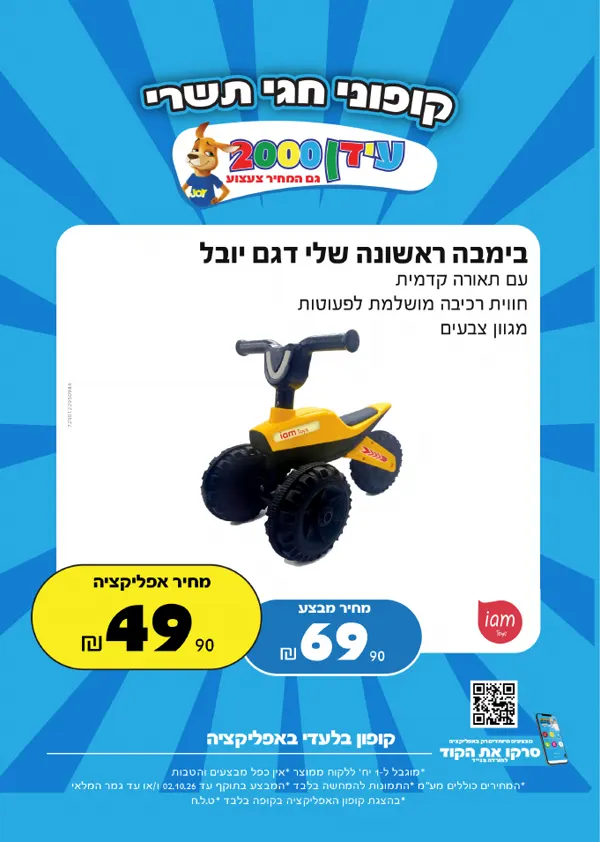
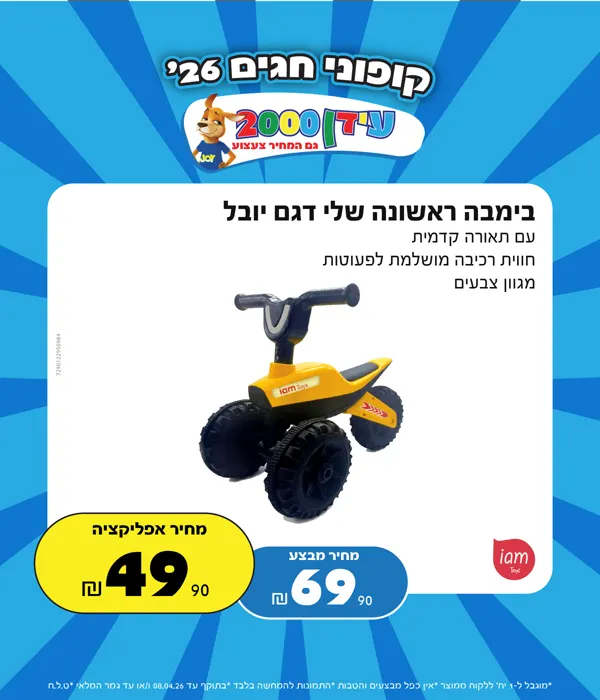
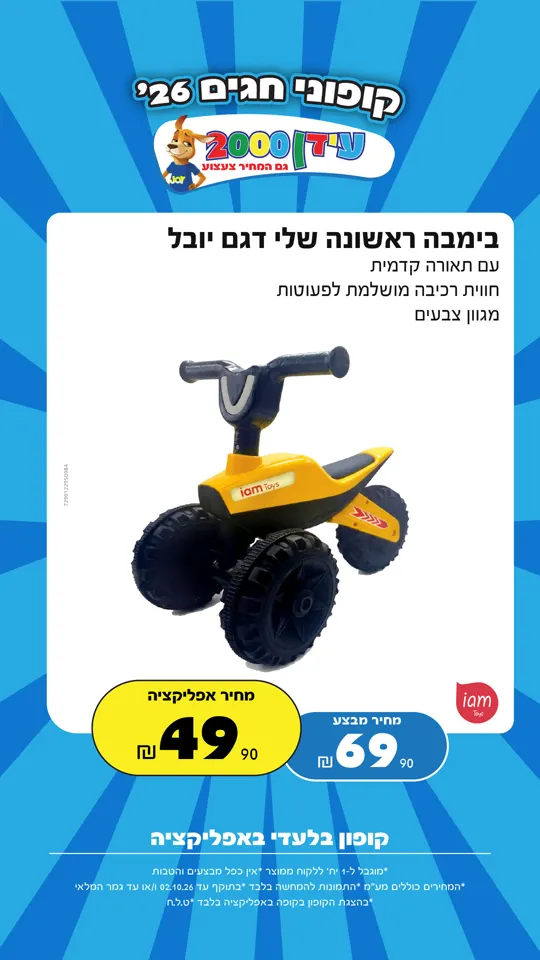
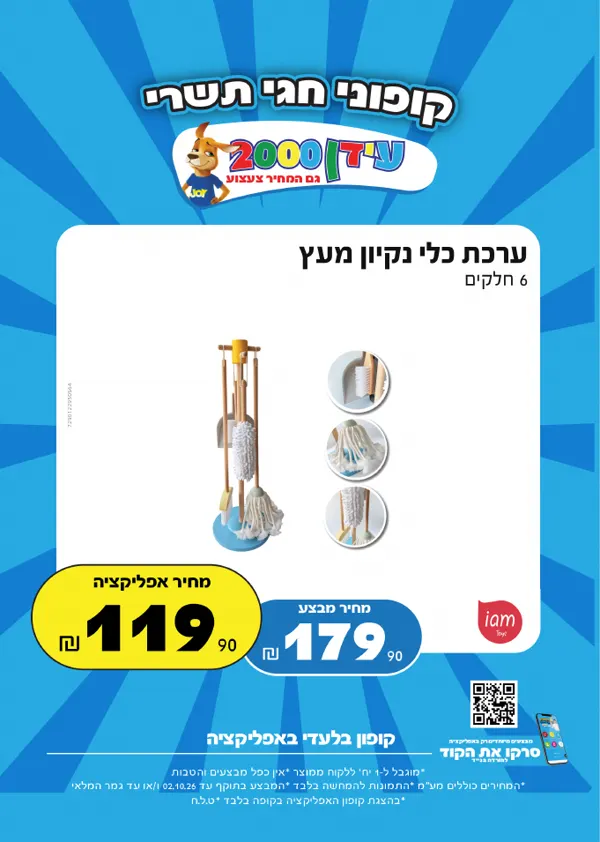
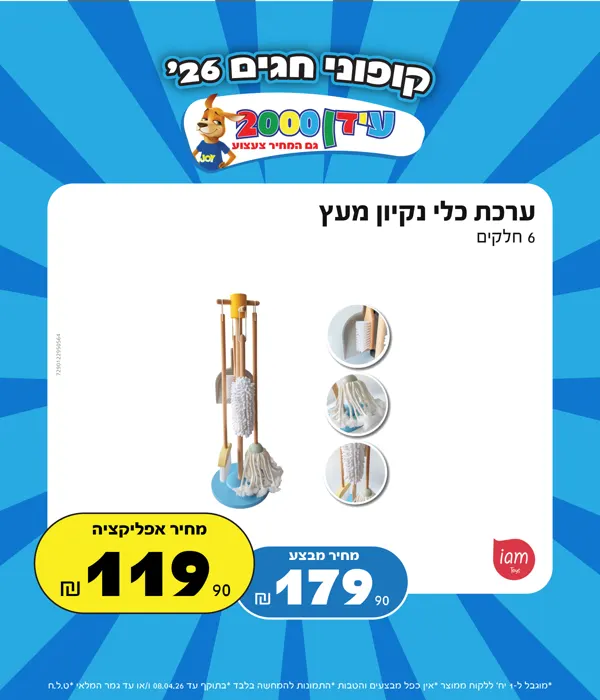
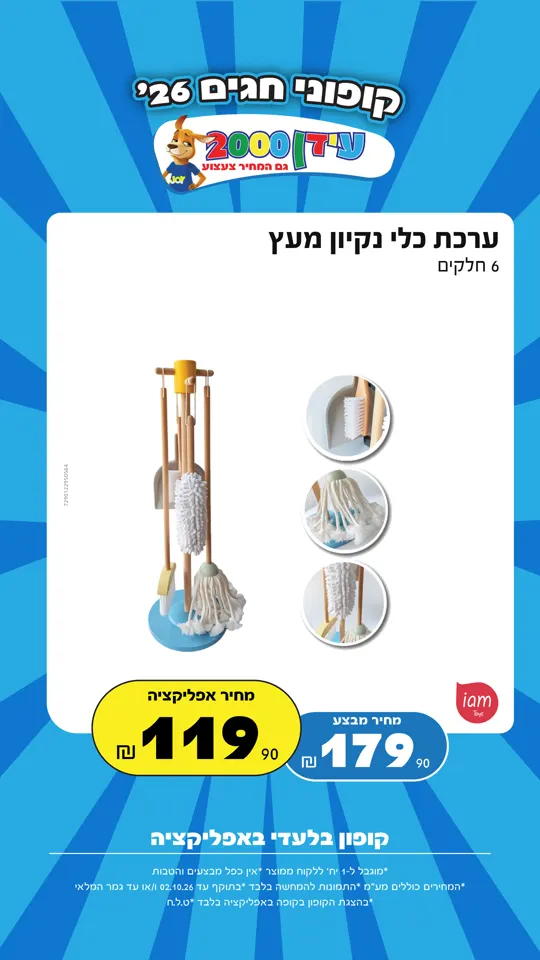
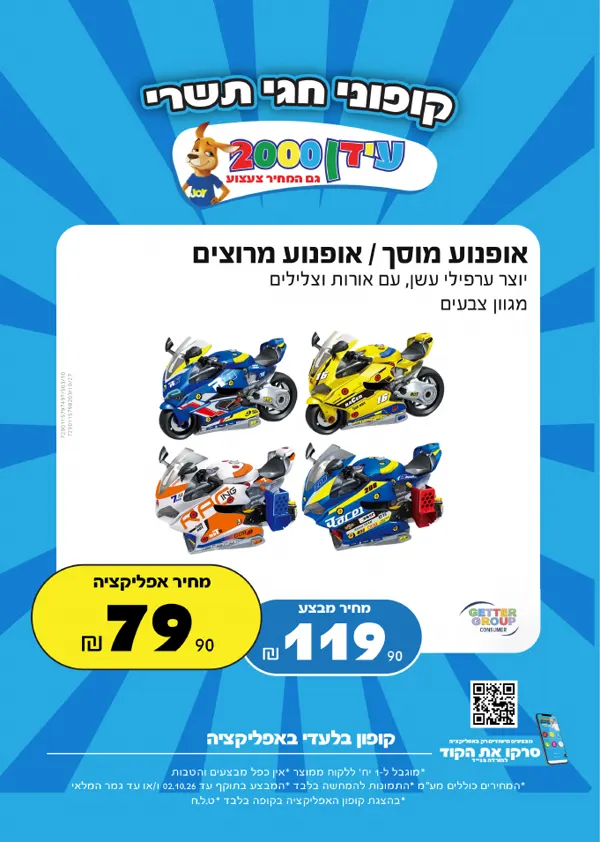
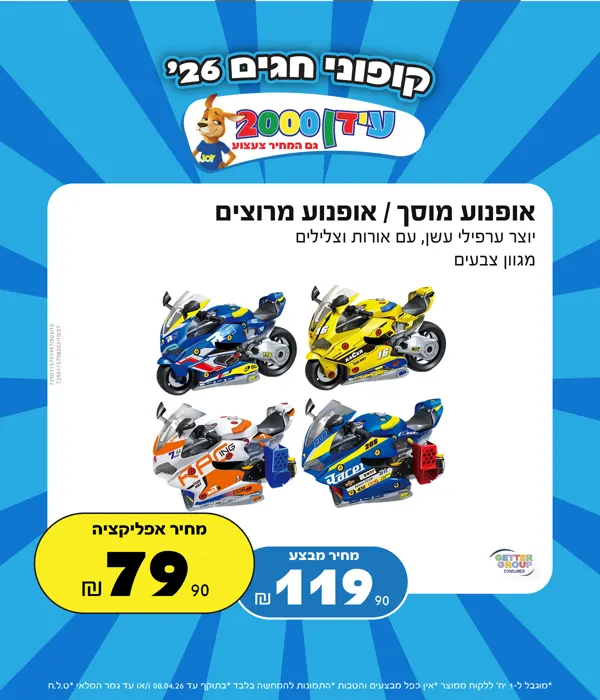
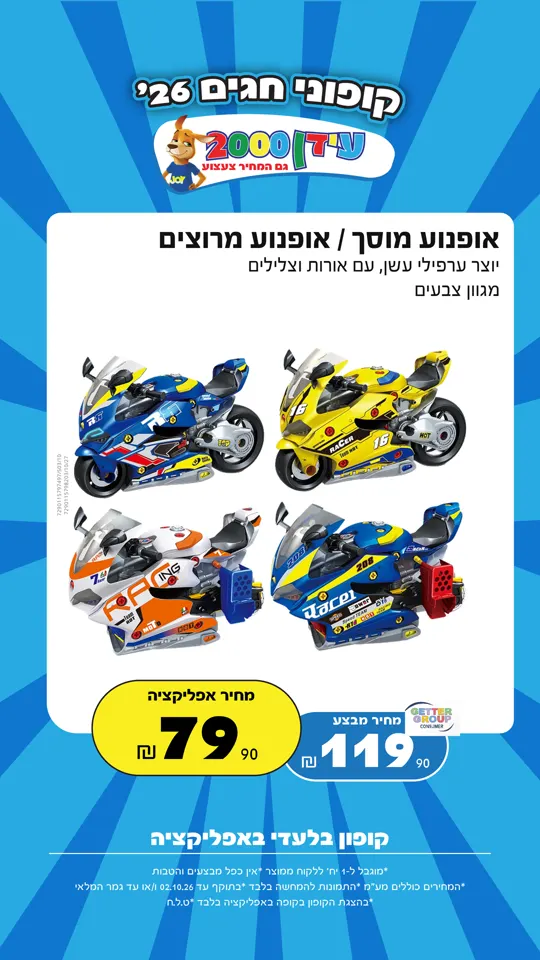
Before and after
| Before | After | |
|---|---|---|
| Prep | Open the template, collect the product details | One folder: sheet, photos, template, fonts |
| Assembly | Rebuilt by hand for each product and format | Done by the Skill from the template rules |
| Product photos | Cut out by hand | Backgrounds removed automatically |
| Export | Exported file by file | 50 files, named by product and format |
| Time | A few hours | About 7 minutes for all 50 variations |
What the agency got
The agency got the 50 variations and a sped-up screen recording of the full run, so they could watch the whole thing happen. The point was to show that the idea works on their real material.
Where this applies
This pattern fits any work where one design gets repeated with small changes:
- Retail promos, where a sheet of products and prices drives the whole campaign.
- Print signage in several sizes.
- Multi-format campaigns, such as a print sign, a post and a story from one layout.
- Localization, where the same layout runs in many languages.
If your team rebuilds the same file again and again, that is the place to start.